

What Is Microsoft Intune and Does Your Business Need It?
Modern businesses rely on laptops, desktops, mobile devices and cloud applications every day. As the number of devices grows, keeping them configured, updated and secure can quickly become difficult, especially when employees work from different locations.
This is where Microsoft Intune can help.
Microsoft Intune is Microsoft’s cloud-based endpoint management platform. It provides organisations with a central way to manage and protect devices, applications and access to business resources. Microsoft describes Intune as a platform for managing devices, reducing risk, verifying compliance and supporting Zero Trust security.
But does every business need it?
Let’s look at what Intune does and where it can add value.
What Is Microsoft Intune?
Microsoft Intune enables IT administrators to manage company devices and their configuration through a central cloud-based platform.
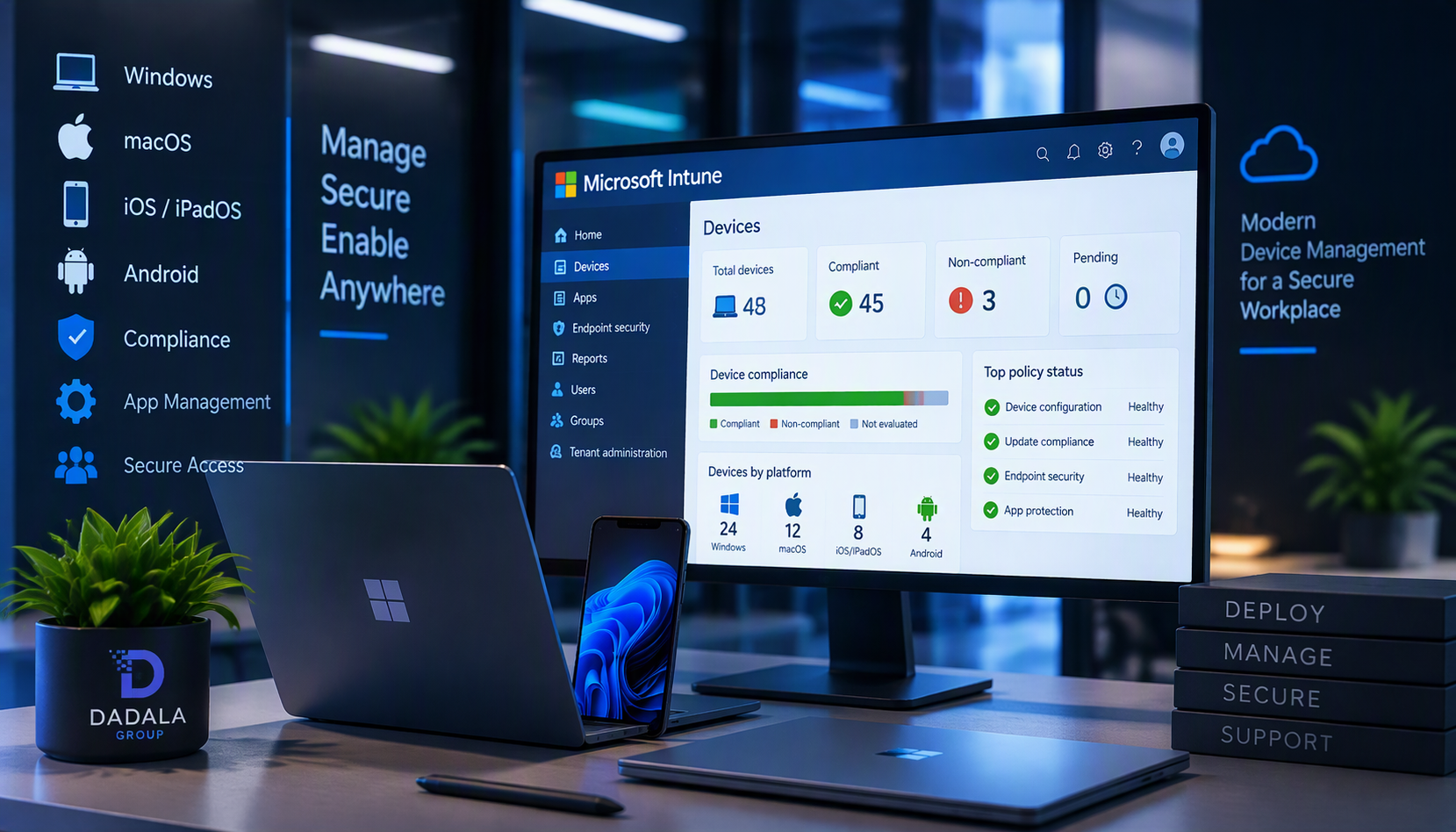
Once devices are enrolled, administrators can see managed devices, their operating systems, ownership, compliance status and last check-in. Microsoft also provides capabilities for device actions, configuration policies, compliance management, applications, inventory and reporting.
Instead of configuring every computer individually, businesses can use centralised policies to create a more consistent approach to managing their devices.
For a business with several employees and computers, this can make IT substantially easier to control.
What Can Microsoft Intune Help Your Business Manage?
1. Centralised Device Management
Rather than treating every laptop as an independent computer, Intune allows enrolled devices to be viewed and managed centrally.
Administrators can access information such as the device’s operating system, ownership, compliance state, hardware information and other inventory information.
This gives the business better visibility into the devices accessing company resources.
2. Security and Configuration Policies
One of the major advantages of Intune is the ability to apply configuration and compliance policies to managed devices.
Microsoft positions Intune as part of its approach to endpoint security and Zero Trust, including the ability to verify device compliance.
For businesses, this can help create consistent security requirements rather than relying on users to configure their computers individually.
3. Application Management
Businesses regularly need to install and maintain software across multiple computers.
Microsoft Intune provides application management capabilities that allow organisations to manage applications across endpoints. Microsoft’s Intune resources specifically include application deployment and management as part of the platform’s endpoint-management capabilities.
For an IT administrator, centralising application management can reduce the amount of repetitive work required across individual devices.
4. Windows Update Management
Operating-system updates are an important part of maintaining business computers.
Microsoft’s Intune guidance includes managing and deploying operating-system updates as part of cloud-native endpoint management.
A managed approach helps businesses move away from having every device handled independently.
5. Compliance Monitoring
Installing a security policy is only part of the challenge. IT also needs visibility into whether devices actually meet the organisation’s requirements.
The Microsoft Intune admin centre provides device compliance information and reporting for managed devices.
This allows administrators to identify devices that require attention instead of assuming every computer is correctly configured.
6. Remote Device Actions
There will eventually be situations where IT needs to take action on a device without having the computer physically in front of the administrator.
Microsoft documents remote device actions available through Intune, including synchronising policies, restarting devices, retiring devices and wiping devices, with the available actions depending on device platform and ownership.
This becomes particularly valuable when employees work remotely or across multiple locations.
Does Your Business Actually Need Microsoft Intune?
Not every small business automatically needs a sophisticated device-management environment.
However, Intune becomes worth considering as managing computers manually becomes increasingly difficult.
Your business should consider Intune if:
You have multiple company laptops or computers
As the number of devices increases, manually configuring each machine becomes harder to standardise and maintain.
Employees work remotely or from different locations
Cloud-based management can give IT teams greater visibility and management capability without requiring every device to be physically present in the office.
You use Microsoft 365 extensively
For organisations already building their business technology around Microsoft’s cloud services, Intune can form part of a broader Microsoft-based approach to endpoint management and security.
You need greater control over business devices
You may need to know which devices are managed, what applications and policies apply to them, and whether they comply with company requirements.
IT spends too much time configuring devices manually
Repeatedly setting up applications, configurations and policies on individual computers doesn’t scale well as an organisation grows.
Intune Is About More Than Managing Laptops
A common misconception is that Intune is simply a tool for installing software on computers.
It is better viewed as part of a broader endpoint management and security strategy.
Microsoft describes Intune as providing management and protection for cloud-connected endpoints across device platforms, applications and operating systems.
The real business value comes from combining device visibility, configuration, application management, compliance and security into a more controlled approach.
What About Microsoft 365 Business Premium?
This is particularly relevant for small and medium-sized businesses already evaluating Microsoft 365 licensing.
According to Microsoft, Microsoft Intune Plan 1 is included with Microsoft 365 Business Premium.
Therefore, a business already using Business Premium may have access to core Intune capabilities within its existing licensing.
Having the licence, however, and having a properly designed device-management environment are two different things. Businesses still need to decide how devices should be enrolled, configured, secured and monitored.
So, Does Your Business Need Intune?
If your company only has a very small number of computers that are easy to manage manually, Intune may not be the first IT investment you need.
But as your business grows, endpoint management becomes increasingly important.
If you’re dealing with:
- Multiple business laptops and desktops
- Remote or hybrid workers
- Inconsistent device configurations
- Application deployment requirements
- Security and compliance requirements
- Limited visibility into company devices
- Increasing time spent manually supporting computers
then Microsoft Intune is worth evaluating as part of your IT strategy.
The goal isn’t simply to introduce another IT product.
The goal is to make company devices easier to manage, more consistent and better controlled.
How Dadala Group Can Help
Implementing device management starts with understanding the organisation’s existing computers, users, Microsoft 365 environment and security requirements.
Dadala Group provides Microsoft Intune and device-management services to help businesses manage and secure their Windows endpoints more effectively.
Our Intune & Device Management services can assist with areas such as:
- Intune setup and configuration
- Windows device management
- Device configuration policies
- Compliance policies
- Application deployment
- Windows update management
- Microsoft Entra ID device integration
- Endpoint monitoring and management
Whether you’re considering Intune for the first time or want to improve an existing Microsoft device-management environment, Dadala Group can help you develop a practical approach that fits your business.
Ready to Take Control of Your Business Devices?
Talk to Dadala Group about Microsoft Intune & Device Management.